

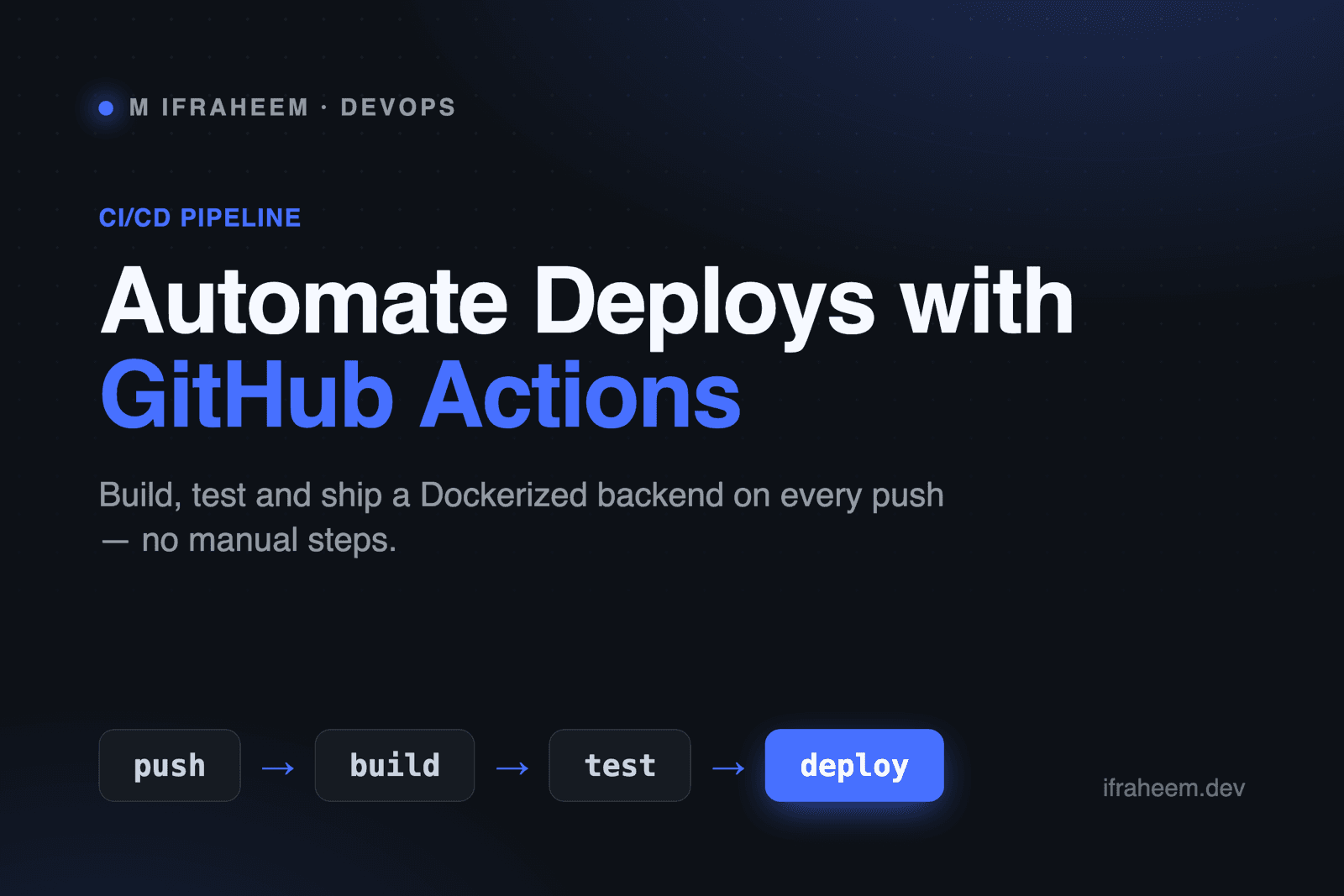
Short answer: A CI/CD pipeline in GitHub Actions watches your repository, and on every push it builds your code, runs your tests, builds a Docker image, and deploys it automatically — so shipping a change is just git push. Below is exactly how to set that up for a containerized backend, with a working workflow file.
What does a CI/CD pipeline actually do?
CI/CD replaces the manual "build it, test it, SSH in, pull, restart" ritual with an automated pipeline that runs the moment you push. CI (Continuous Integration) is the safety net — it builds and tests every change so broken code never reaches your main branch. CD (Continuous Deployment) is the delivery arm — once tests pass, it ships the new version without you touching a server. For a Dockerized backend, that means the same image you tested is the one that runs in production.
At a glance: the pipeline stages
| Stage | What happens | Fails the build if… |
|---|---|---|
| Push | You git push to a branch | — |
| Build | Dependencies install, code compiles | A dependency or build error |
| Test | Unit / integration tests run | Any test fails |
| Package | A Docker image is built and pushed to a registry | The image can't build |
| Deploy | The new image is rolled out to your server | The deploy command errors |
What do you need before you start?
- A backend repo on GitHub with a Dockerfile.
- A container registry — GitHub Container Registry (GHCR) is free and built in.
- A deploy target — a VPS, AWS ECS, or a platform like Railway.
Workflows live in .github/workflows/ as YAML files. GitHub picks them up automatically — no dashboard setup required.
How do you build and test on every push?
Create .github/workflows/ci.yml. This job checks out your code, installs dependencies, and runs the test suite on every push and pull request:
name: CI

on:
  push:
    branches: [main]
  pull_request:

jobs:
  test:
    runs-on: ubuntu-latest
    steps:
      - uses: actions/checkout@v4
      - uses: actions/setup-node@v4
        with:
          node-version: 20
      - run: npm ci
      - run: npm test
That's a complete CI stage. If npm test exits non-zero, the check goes red and — if you protect your main branch — the pull request can't be merged. Swap the two node steps for setup-python and pytest and you have the same thing for a FastAPI backend.
How do you build and push a Docker image?
Once tests pass, package the app as a Docker image and push it to GHCR. Add a second job that needs the test job, so it only runs when tests are green:
  build:
    needs: test
    runs-on: ubuntu-latest
    permissions:
      packages: write
    steps:
      - uses: actions/checkout@v4
      - uses: docker/login-action@v3
        with:
          registry: ghcr.io
          username: ${{ github.actor }}
          password: ${{ secrets.GITHUB_TOKEN }}
      - uses: docker/build-push-action@v6
        with:
          push: true
          tags: ghcr.io/${{ github.repository }}:latest
Note needs: test — this is the guardrail that makes it CI/CD and not just "push and pray." A failing test blocks the image from ever being built.
How do you deploy automatically?
The final job pulls the new image on your server and restarts the container. A simple, reliable pattern for a VPS is an SSH step:
  deploy:
    needs: build
    runs-on: ubuntu-latest
    steps:
      - uses: appleboy/ssh-action@v1
        with:
          host: ${{ secrets.SERVER_HOST }}
          username: ${{ secrets.SERVER_USER }}
          key: ${{ secrets.SSH_KEY }}
          script: |
            docker pull ghcr.io/${{ github.repository }}:latest
            docker compose up -d
Deploying to AWS ECS instead? Swap this job for aws-actions/amazon-ecs-deploy-task-definition and point it at your service. The shape of the pipeline stays identical — only the last step changes.
How do you keep secrets safe?
Never hardcode credentials in a workflow. Store them under Settings → Secrets and variables → Actions, then reference them as ${{ secrets.NAME }}. GitHub encrypts them, masks them in logs, and withholds them from forked pull requests by default. The one secret you don't create yourself is GITHUB_TOKEN — it's injected automatically for each run.
CI vs CD — what's the difference?
They're often said together but solve different problems. CI is about confidence: does this change build and pass tests? CD is about delivery: get the validated change to users automatically. You can adopt CI alone (test on every push, deploy by hand) and add CD later once you trust the tests. In practice, the jump from "CI only" to full CD is just adding that final deploy job.
Conclusion
A GitHub Actions pipeline turns deployment from a nerve-wracking manual chore into a non-event: push code, watch the checks go green, and the new container is live. Start with a CI job that runs your tests, add a Docker build once that's stable, and bolt on automated deploy when you're ready. Each stage is a few lines of YAML, and the payoff — never shipping untested code again — compounds on every single push.
Want to see this applied to a real multi-service system? Read how I structure a polyglot microservices architecture with Docker and Kubernetes, or see the DevOps services I offer.