


The Problem
GitHub Projects is where our work lives, but checking it meant opening a board, filtering by assignee, then jumping to pull requests, then digging through yesterday's commits before standup. I open dozens of new tabs a day, so the new tab page was the obvious place to put all of that in one glance.
What I Built
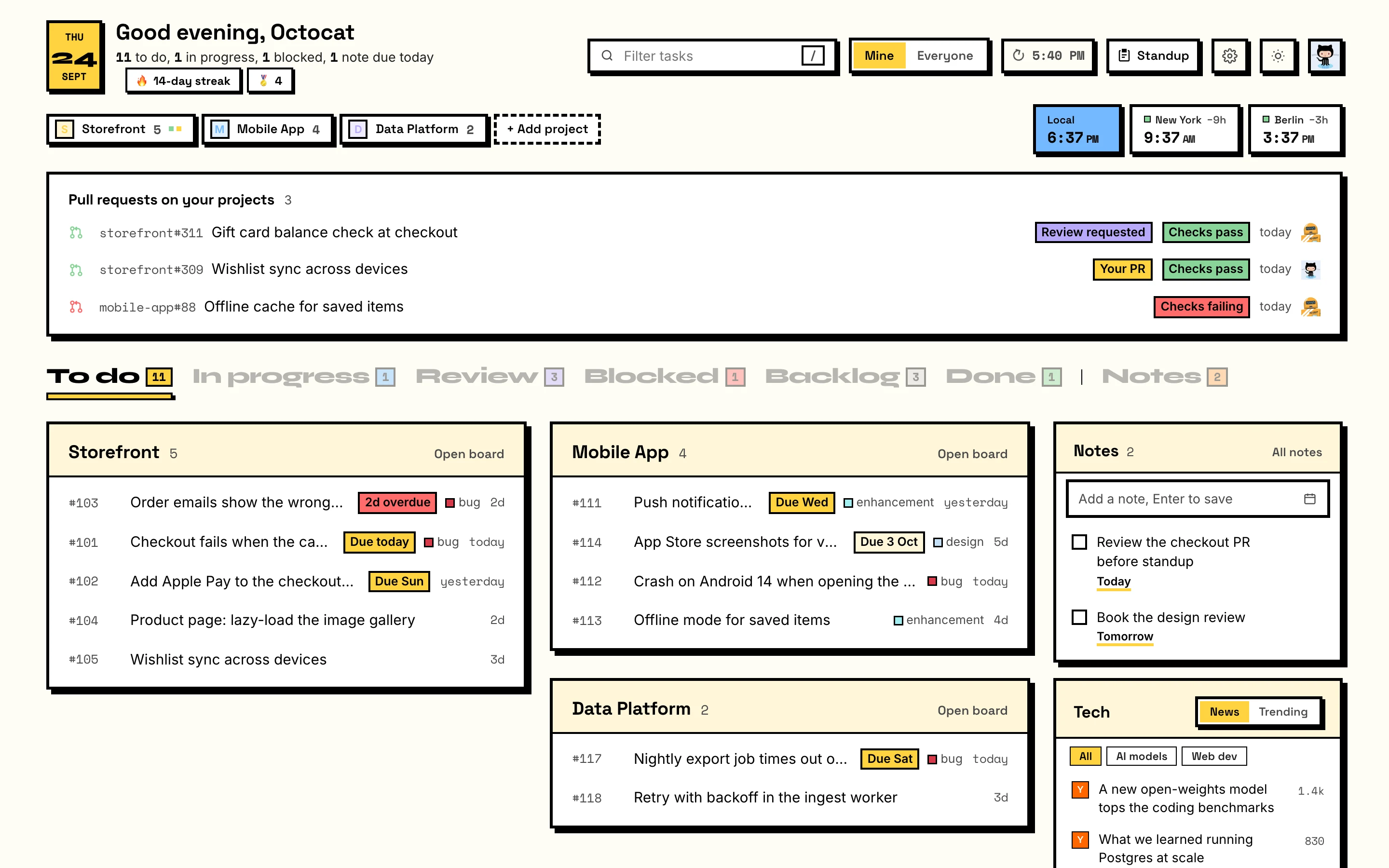
- Tasks across orgs: assigned items from every GitHub Project you pick, grouped by status and board, plus issues from repos without a board.
- Pull requests that need you: review requests and your own open PRs, with check status.
- One-click standup: what you did for any date range, copied with formatting, ready for Slack or Teams.
- Sign in with GitHub: OAuth device flow, so there's no backend to hold secrets. Several accounts are supported, or a personal access token.
- Extras: notes, project links, world clocks, tech news and trending repos, a contribution streak and a weekly "week in code" card.
How It's Built
Plain JavaScript on Manifest V3, no framework and no build step. It keeps its footprint small: only the storage and activeTab permissions, and network access limited to GitHub. Data is fetched through GitHub's GraphQL and REST APIs, cached locally and shown stale-first, so the page is usable before the network even answers. It also works offline from the last snapshot.
The Outcome
Published on the Chrome Web Store, with a landing page at tabboard.ifraheem.dev and the full source on GitHub. It's the tool I use dozens of times a day, shipped end to end: product, design, extension, store listing and site.
Tech Stack
| Layer | Technology |
|---|---|
| Extension | Chrome Manifest V3, vanilla JavaScript |
| Data | GitHub GraphQL + REST APIs |
| Auth | GitHub OAuth device flow |
| Storage | chrome.storage (local only) |
| Landing page | Static HTML/CSS on Vercel |